Input
One encoder feedWho It's For
Multistreaming Platform for Creators
One live feed, multiple destinations, and one control surface that stays understandable while you are live.
StreamToWorld helps creators publish to multiple platforms from one console instead of rebuilding the same live setup every time. It is designed for creators who want cleaner operations, clearer destination awareness, and one dashboard for launch, monitoring, and session history.
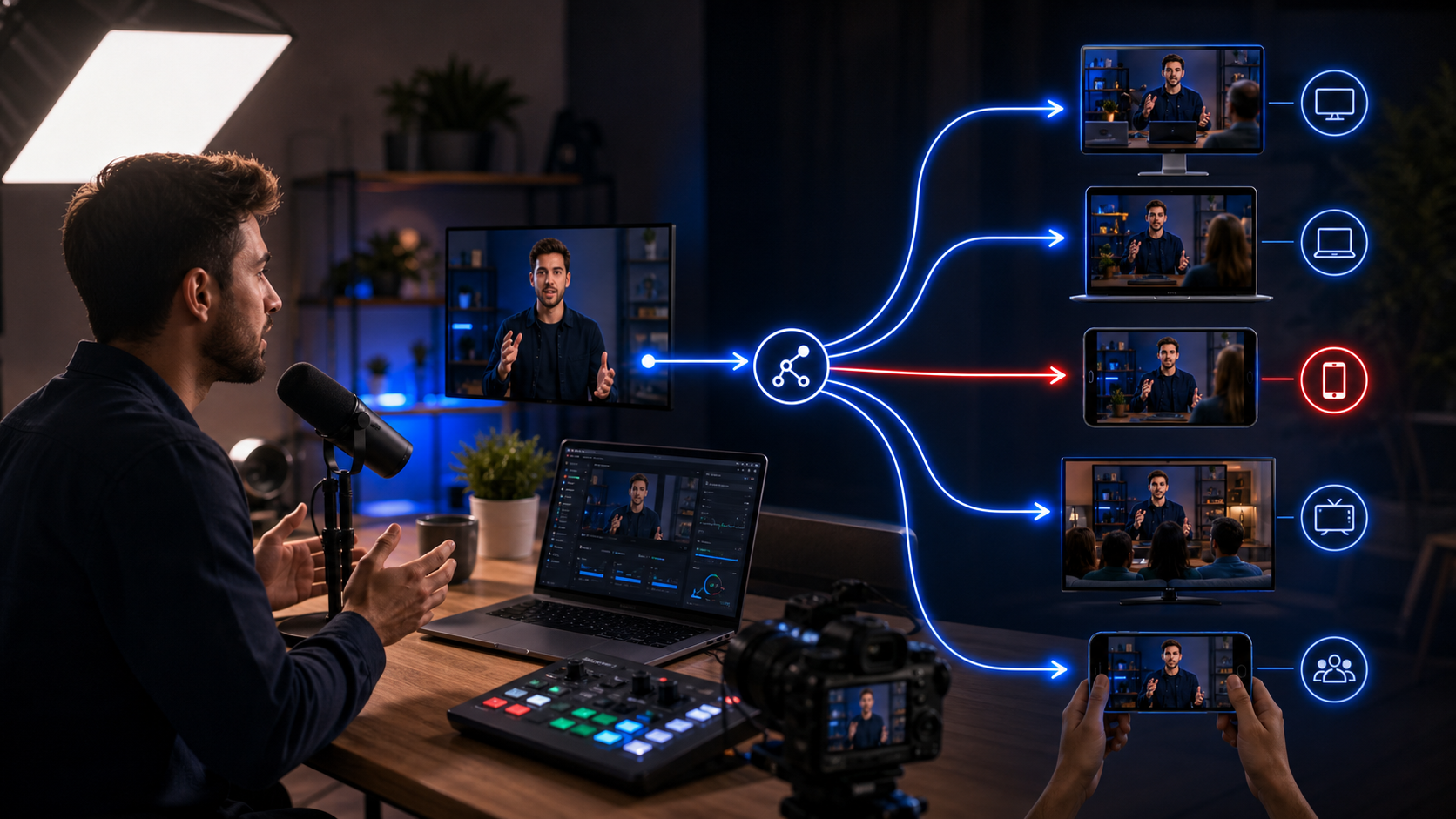
Creator Workflow
Multi-destination
Output
YouTube, Twitch, RTMPControl
Single dashboardWhat is StreamToWorld for creators?
Creators who want to reach more than one platform without juggling separate live setups and fragmented checks.
What creator problem does it solve?
Manual platform switching, unclear destination status, repeated launch steps, and weak visibility into what happened after the session.
Why do creators choose it?
It keeps launch, destination control, and usage visibility in one place so creators can focus more on the stream than on platform juggling.
Typical Workflow
How StreamToWorld helps creators stay organized while live
Send one stream to multiple platforms
Route one encoder feed to multiple destinations from one creator-friendly console instead of repeating platform setup work.
Keep destination control in one view
Turn destinations on or off from the same dashboard so platform-level decisions do not become a separate operational task.
See what happened after the session
Session history and usage tracking help creators understand time used, plan limits, and broadcast timing after the stream ends.
Example Workflow
A simple creator multistream routine
Connect your encoder once
Use the StreamToWorld ingest details to publish your live feed into one consistent control flow.
Choose the destinations you want live
Keep your preferred creator platforms and RTMP endpoints ready inside one destination library.
Monitor, finish, and review
Track live status while streaming, then use session visibility afterward to understand how the broadcast ran.
Choosing a Plan
Which plan usually fits creator workflows
Free
Good for getting started with multi-destination publishing and evaluating how the workflow feels.
Pro Trial
Useful when creators want to test larger destination counts and the full console flow before upgrading.
Pro
Best when creator workflows need more destinations, more runtime, and a longer-term multistream operating path.
Common Questions
Common questions from creators
Can I start with a free account?
Yes. The free plan is intended to let creators experience the live control flow before deciding whether a larger plan is needed.
Does StreamToWorld help me control multiple destinations from one dashboard?
Yes. The product is built around one console for launching, controlling, and monitoring multiple destination workflows.
Will I be able to review what happened after the stream ends?
Yes. Session history and usage tracking are part of the product experience so creators can review runtime and plan usage later.
Get Started